DM and reply templates
Your automated messages are what prospects read first — make them count.
Lead Gravity sends three types of messages, each with its own template. Here's how they work and how to write them effectively.
The DM (private message)
This is the most important message: the one your prospect receives in their LinkedIn inbox with your resource.
It should be short, direct, and make them want to click.
DM example
{{fullNameMention}} here's the full guide on AI prompts. Let me know if you have any questions!
Reply for connections
When a prospect already in your network comments, Lead Gravity sends them a DM + leaves a public reply under their comment.
This reply simply confirms the DM was sent. No need to pitch again here.
Reply example (connection)
{{fullNameMention}} sent in DM, check your inbox!
Reply for non-connections
If the prospect isn't in your network, we can't send them a DM directly. The reply invites them to connect to receive the resource.
Reply example (non-connection)
{{fullNameMention}} connect with me so I can send you the guide :)
The {{fullNameMention}} variable
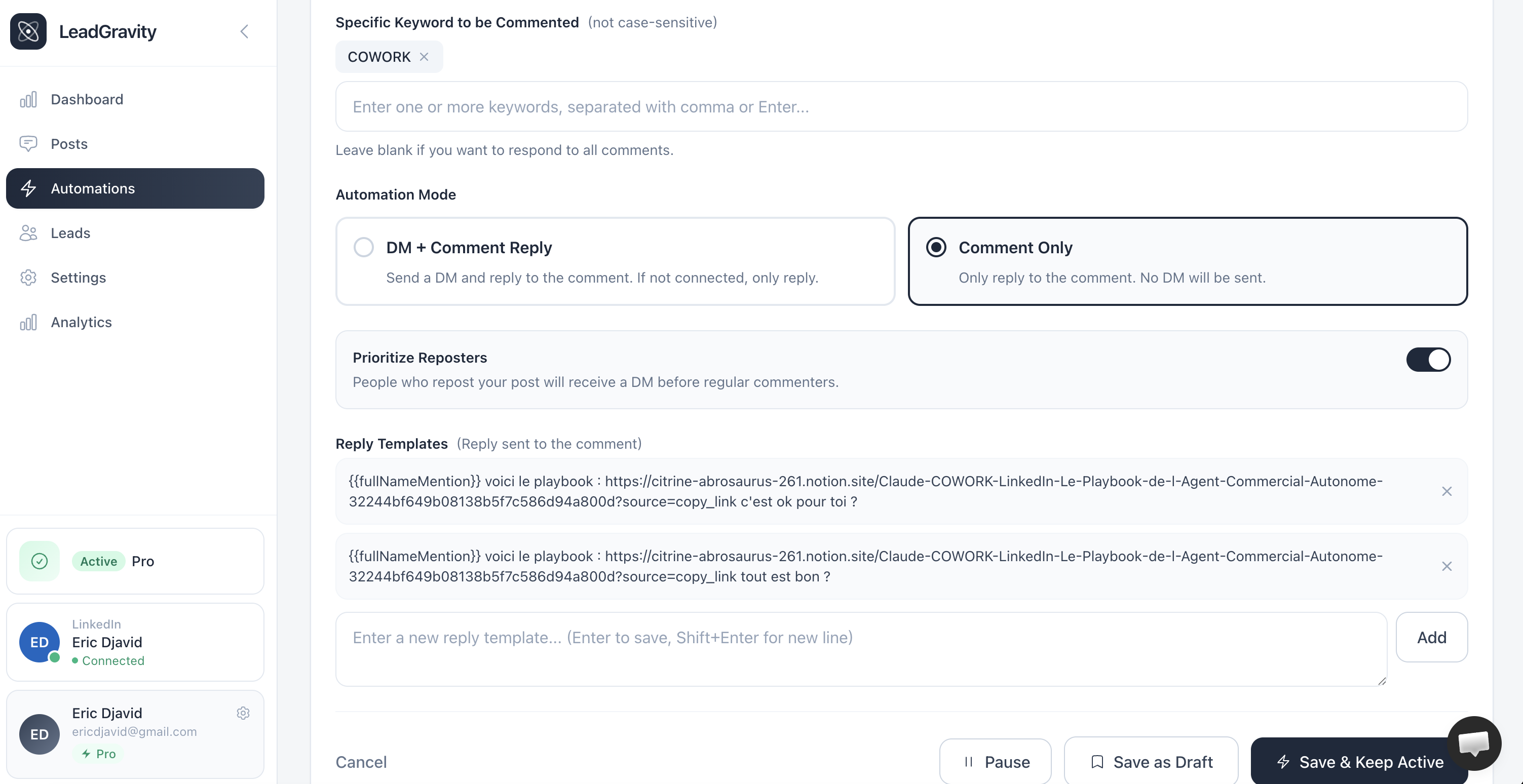
It's the only variable you need. It's automatically replaced with the person's full name, formatted as a LinkedIn mention.
Always start your templates with {{fullNameMention}} — that's what makes the message feel personal.
Reply variations
You can add multiple reply variations. Lead Gravity randomly picks one for each send. This prevents all reply comments from looking identical.
Writing a good template
- Under 20 words — nobody reads walls of text in comments
- Conversational tone — talk like a colleague, not a robot
- Start with
{{fullNameMention}} - No hollow phrases like "Thanks for your comment"