Create your first automation
In 5 minutes, set up an automation that captures leads while you sleep.
An automation is simple: you pick a LinkedIn post, set a keyword (like "GUIDE"), and Lead Gravity automatically sends a message to everyone who comments with that word.
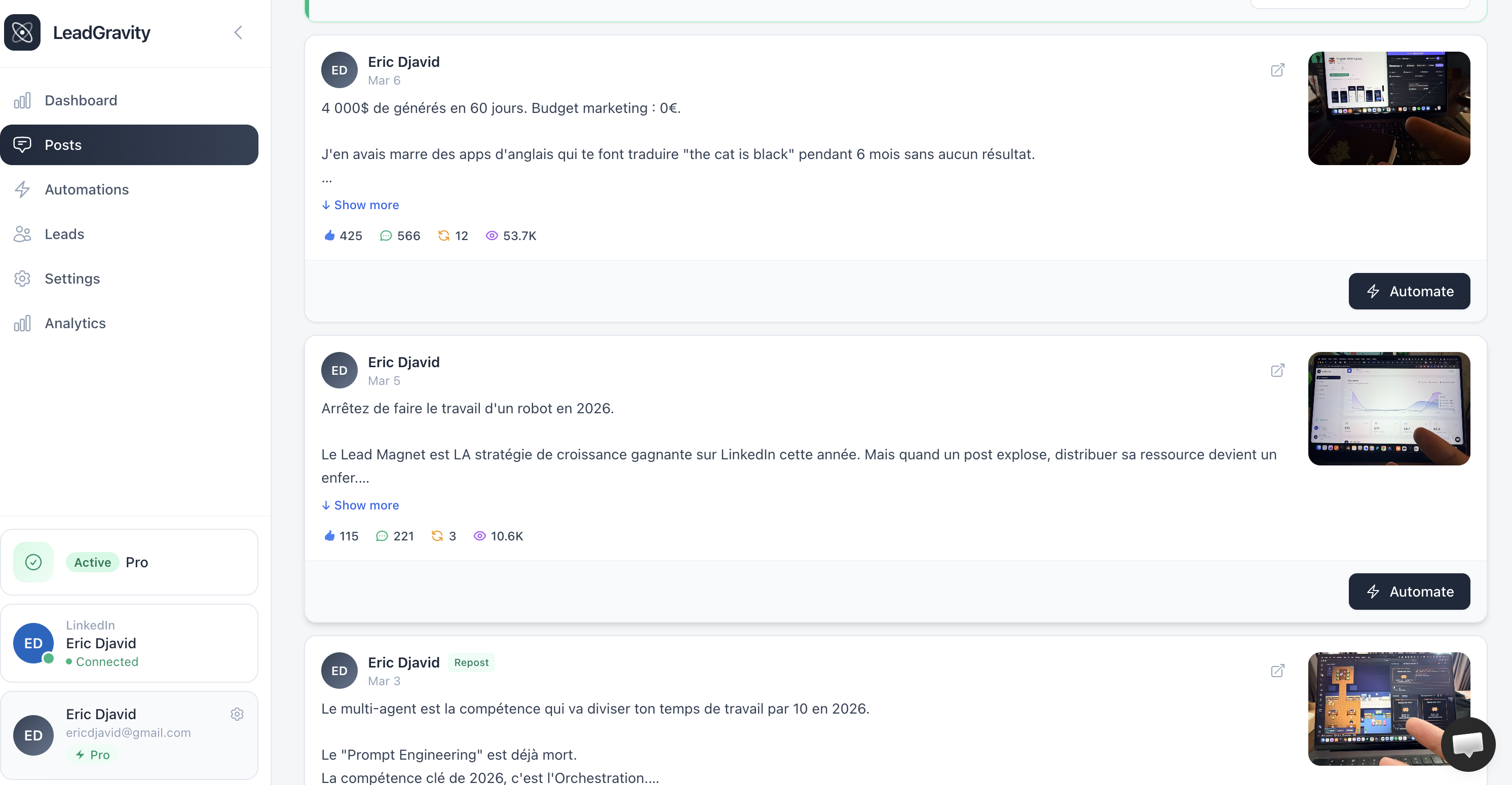
Select the post to automate
From the Posts page, find the LinkedIn post you want to automate and click the "Automate" button on the right.
Let AI do the work
In a few seconds, the AI analyzes your post and suggests:
- The trigger keywords it detected (e.g., "GUIDE", "LINK")
- A DM template adapted to your post content
- Ready-to-use comment replies
You can of course edit everything — these suggestions are a starting point.
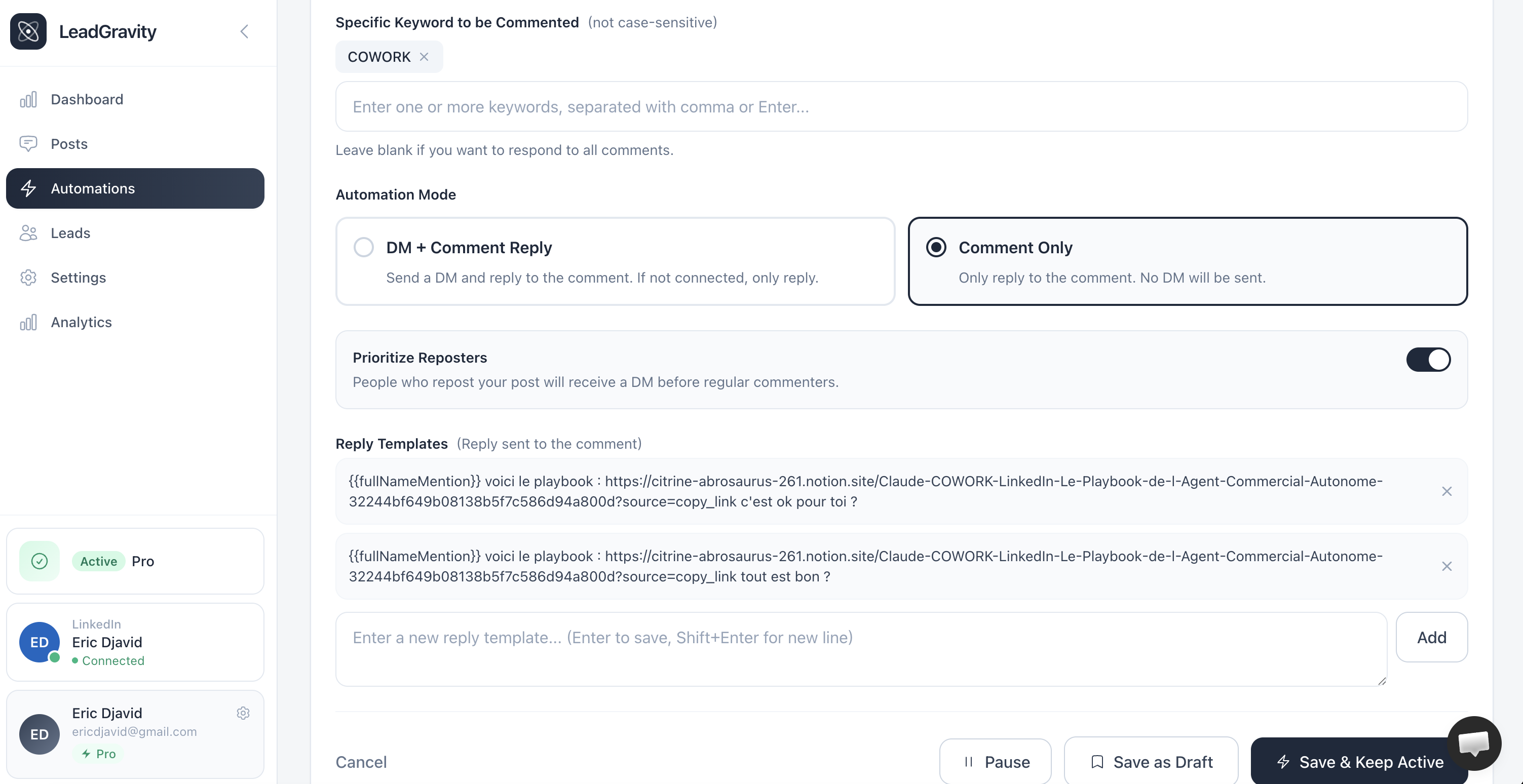
Choose your engagement strategy
Two modes are available:
DM & Comment
Sends a private DM with your resource + leaves a public reply under the comment. Most effective engagement mode.
Comment Only
Only replies as a comment with the link to your resource. No DM sent — useful for public resources.
Set the resource link
Before customizing templates, fill in the Resource Link field with the exact URL you want to share (PDF, Notion, Google Drive, landing page, etc.).
This URL will automatically replace the {{resourceLink}} variable across every template at send time. Convenient: if the URL ever changes, you update it in one place instead of rewriting every template.
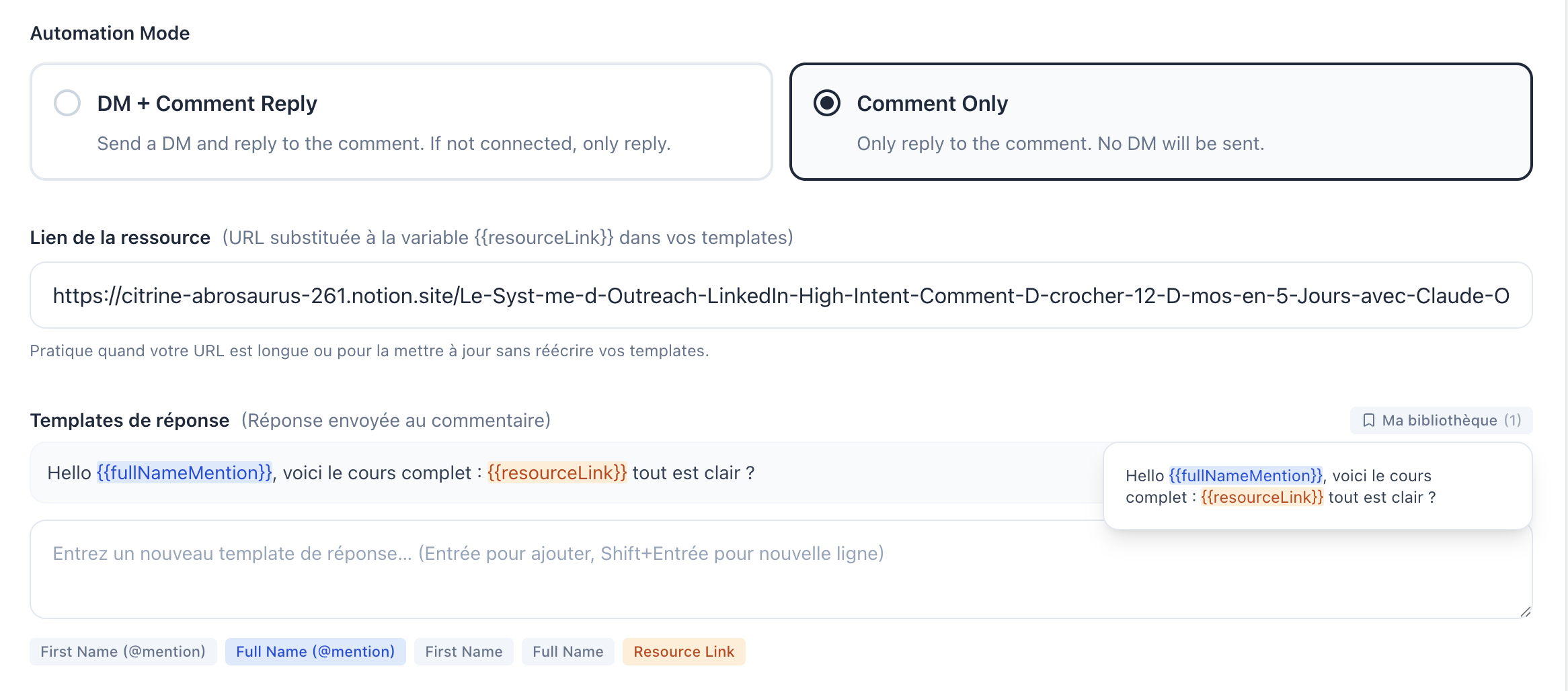
Customize templates
Every token wrapped in {{ }} gets substituted at send time:
{{firstName}}: commenter's first name{{fullName}}: full name{{firstNameMention}}/{{fullNameMention}}: LinkedIn @mention (only in comment replies){{resourceLink}}: your resource link set above
Variables highlighted green/blue/orange are valid. A red highlight means the variable doesn't exist; the automation can't be activated until it's fixed.
My Library: save your best templates
When you craft wording that works, save it to My Library so you can reuse it on other automations without rewriting it.
From any reply template section:
- Hover an added template to reveal the bookmark icon on the right, and click to save it to your library
- Click My library at the top right of each section to open your saved templates and insert one in a single click
- The library is filtered by context: DM-confirmation replies, comment-only replies, and non-connection replies are stored separately, so you only see the relevant ones for the section you're in
Activate
Click "Create and activate". The automation starts right away: it first scans all existing comments on the post, then checks for new comments every 10 minutes.
Important
Messages are sent with a random delay of 45 to 180 seconds between each send. This is intentional to protect your LinkedIn account, it mimics natural human behavior.