Quotas and send scheduling
Lead Gravity spreads your messages over time so everything stays natural and safe.
LinkedIn doesn't like mass sends. To protect your account, Lead Gravity includes a quota and scheduling system that makes your sends indistinguishable from human behavior.
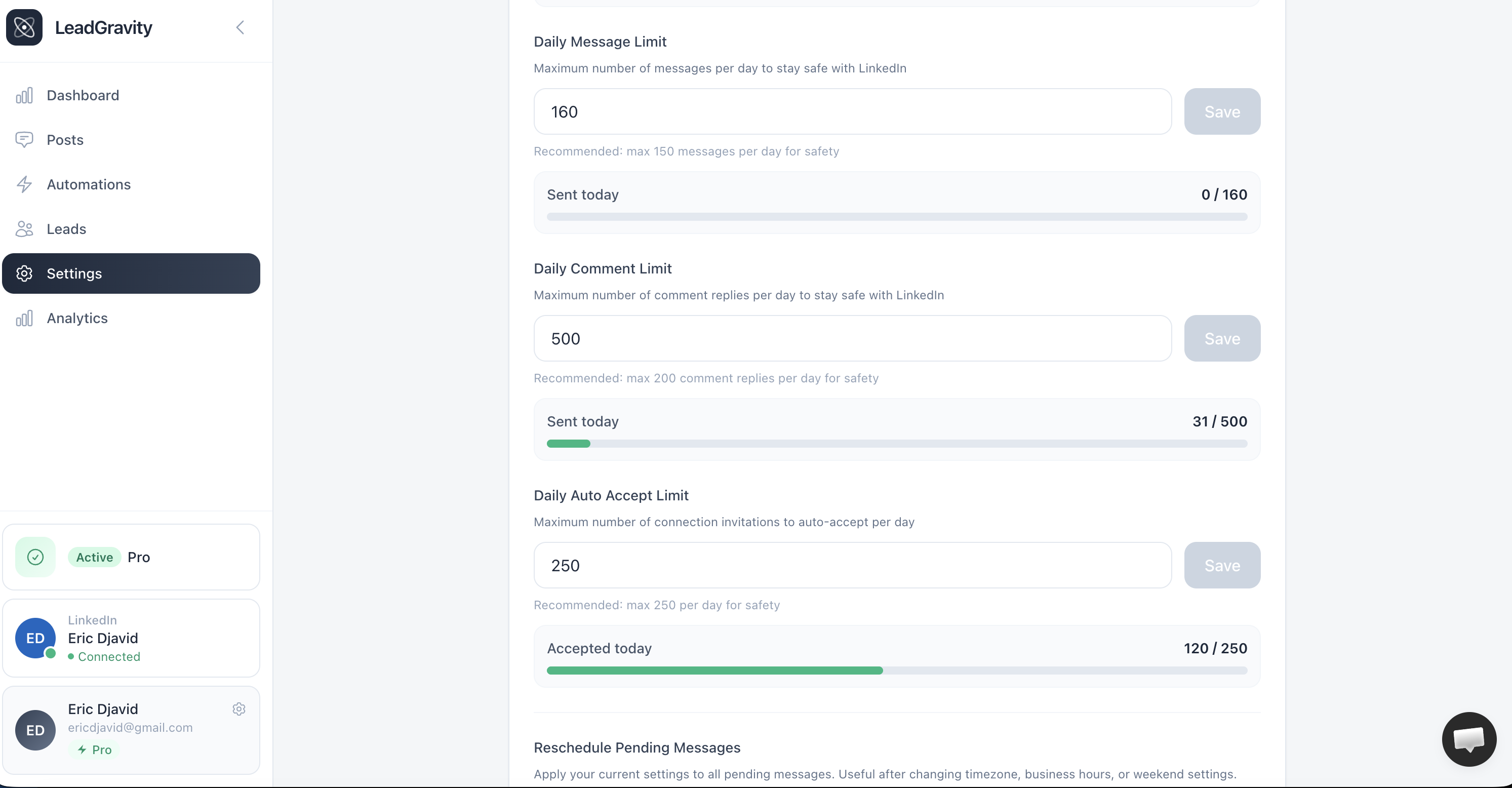
Daily quotas
In your Settings, you set two limits:
50
DMs / day (default)
50
Comments / day (default)
Quotas are calculated over a rolling 24-hour window (not a midnight reset). If you sent 40 DMs yesterday at 2 PM, the quota frees up today at 2 PM.
Scheduling time slots
Messages don't go out immediately. They're scheduled during slots that mimic natural human usage:
Morning
8:30 AM — 10:00 AM
Lunch
12:00 PM — 2:00 PM
Evening
5:00 PM — 7:00 PM
Times respect your timezone configured in settings.
Safety options
Two additional options in your settings:
- Business hours only — no messages sent outside regular working hours
- Skip weekends — no sends on Saturday and Sunday
Our recommendation
Start with 30 DMs/day and 30 comments/day. Gradually increase after a few weeks if everything goes smoothly. That's the sweet spot between volume and safety.