Manage, group and export your leads
Every qualified comment becomes a lead. Select, group into lists, and export in one click.
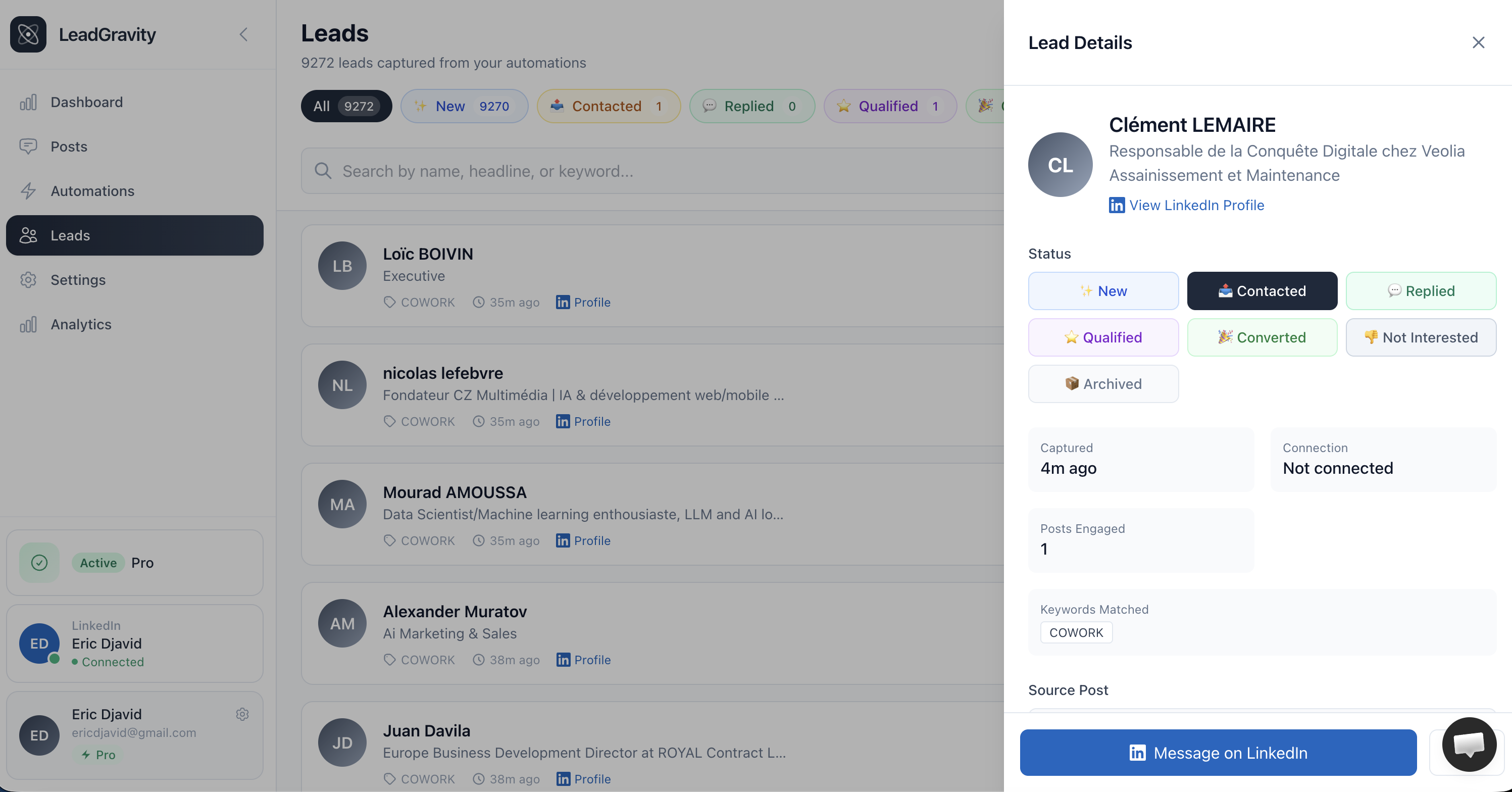
When someone comments with your keyword, they're automatically added to your Leads page. No copy-pasting profiles — everything is centralized.
What Lead Gravity captures
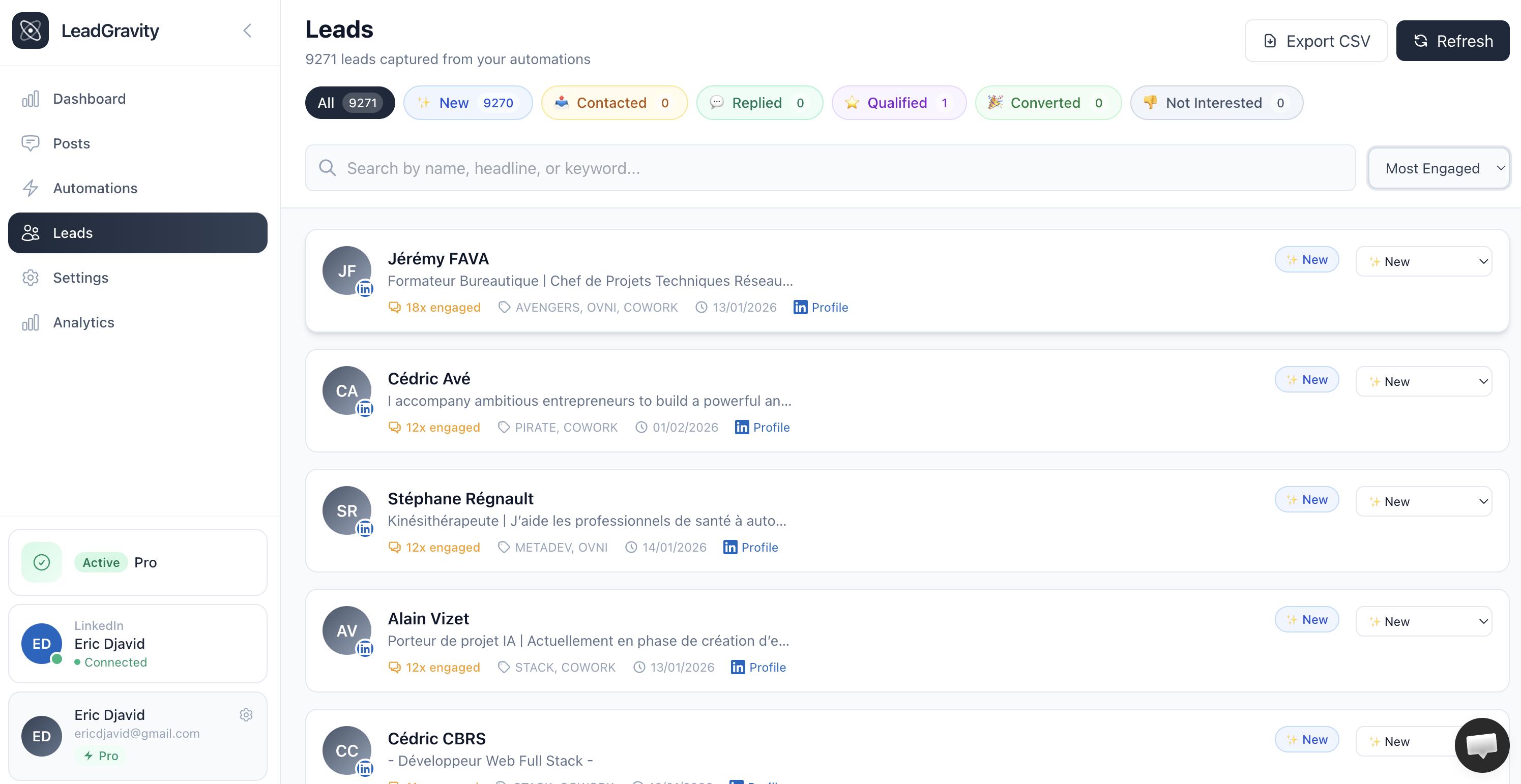
For each detected person:
Identity
Full name, profile picture, LinkedIn headline
Source
Which automation, which post, which keyword triggered it
Engagement
Number of posts the person commented on
Status
New, contacted, qualified, converted, or ignored
Sort your leads
Two sort options are available:
- Most recent — latest captured leads first (default)
- Most engaged — people who commented on the most of your posts at the top. These are your hottest prospects.
You can also search by name or headline using the search bar.
Select multiple leads
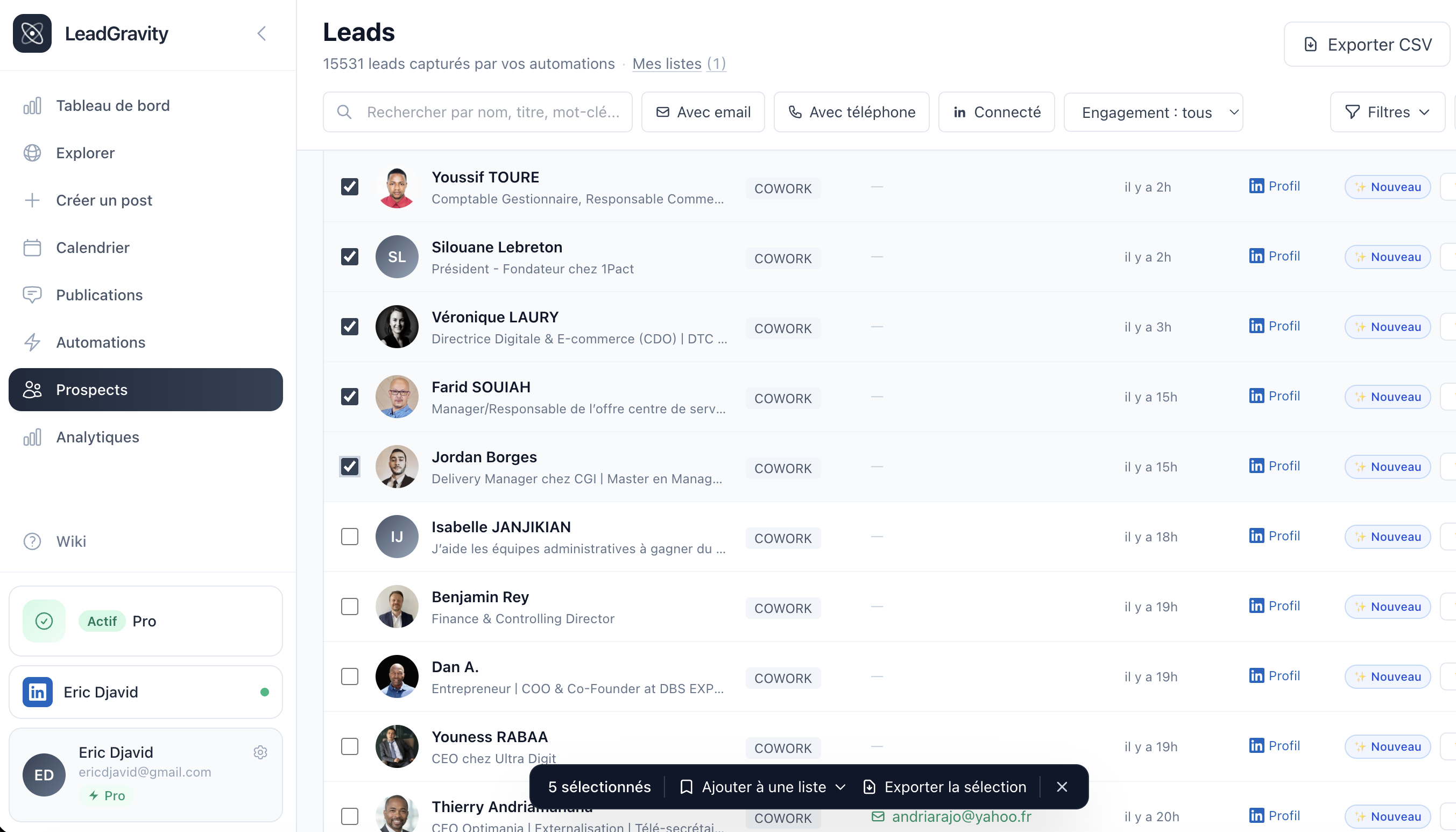
When you hover a row, a checkbox appears on the left. Check one or more rows to bring up the action bar at the bottom of the page.
To check the entire current page in one click, use the header checkbox. If your filters return more leads than fit on a single page, a banner offers "Select all N filtered leads" to extend the selection across every matching result, regardless of pagination.
The action bar then lets you add to a list (existing or new) or export only the selection.
Organize with lists
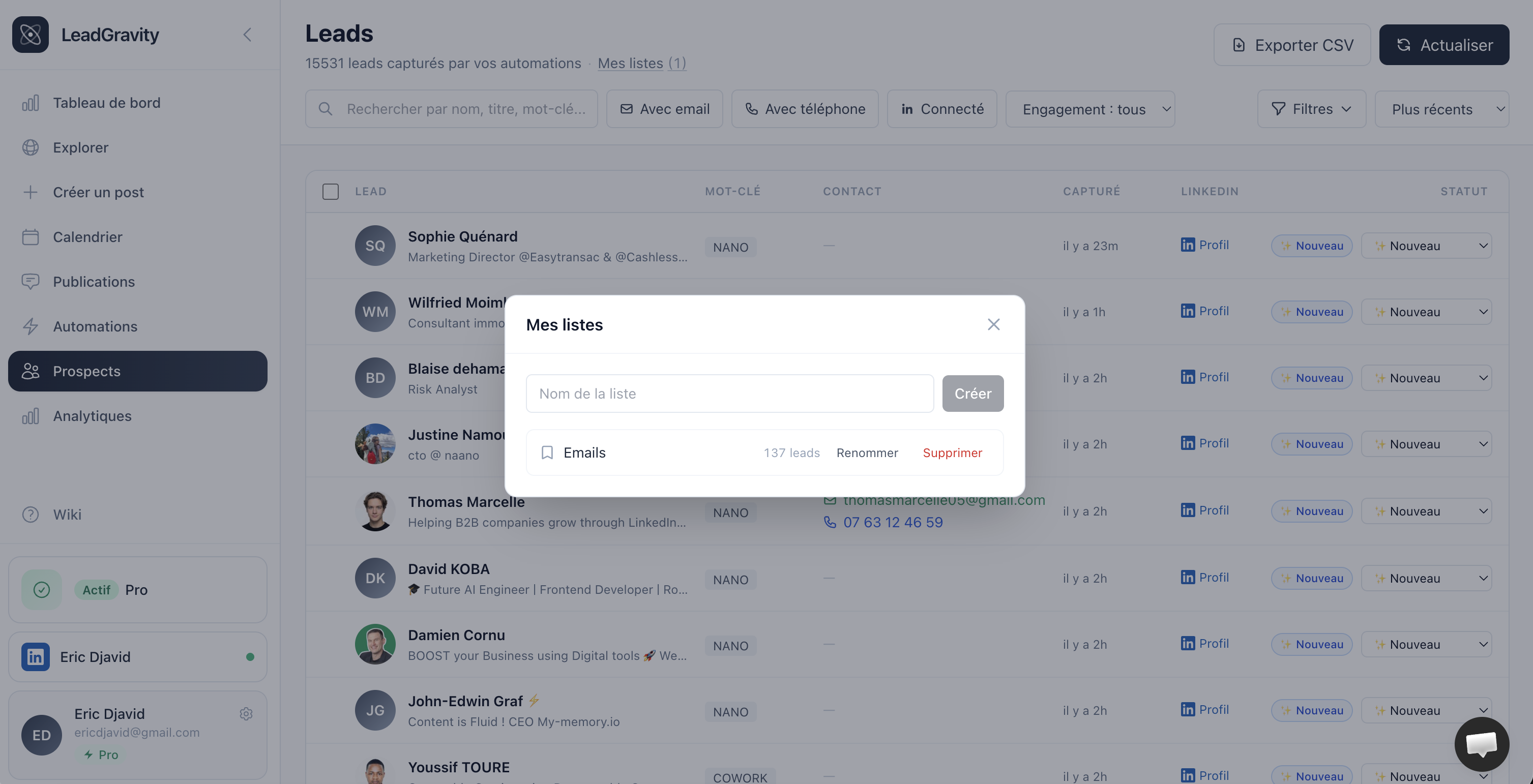
Lists let you group leads by campaign, persona, or any custom criteria. The same lead can belong to multiple lists — it's a free-form bucketing layer, independent from statuses.
To manage your lists, click "My lists" right under the page title. The modal that opens lets you:
- Create a new list
- Rename or delete an existing list (leads themselves are not deleted, just removed from the list)
- Click on a list to filter the page on its members
You can also filter by list via the Filters button (the "List" field is the first one in the popover).
Export to CSV
Two export modes are available:
- Export CSV (top right of the page) — downloads all your leads, ignoring filters and selection
- Export (in the action bar when at least one lead is checked) — downloads only the current selection
Tip: to export all leads from a list, open the list via the filter, click the header checkbox, then "Select all N filtered leads", and finally "Export".
The file includes all columns: name, headline, status, source, keywords, engagement count, date, etc. Perfect for importing into your CRM or outreach tools.
Manage lead status
Click on a lead to open their details and change their status. Statuses help you track your pipeline: