Create a post with AI
Generate a viral LinkedIn lead magnet post in a few clicks with AI.
The Create Post page uses artificial intelligence to generate LinkedIn lead magnet posts optimized for engagement. The system is trained on 167 real posts that each generated over 100 comments.
Step 1: Choose a topic
Enter a topic in the text field (e.g., "automate LinkedIn outreach") and click Generate. You can also click on one of the suggested ideas below.
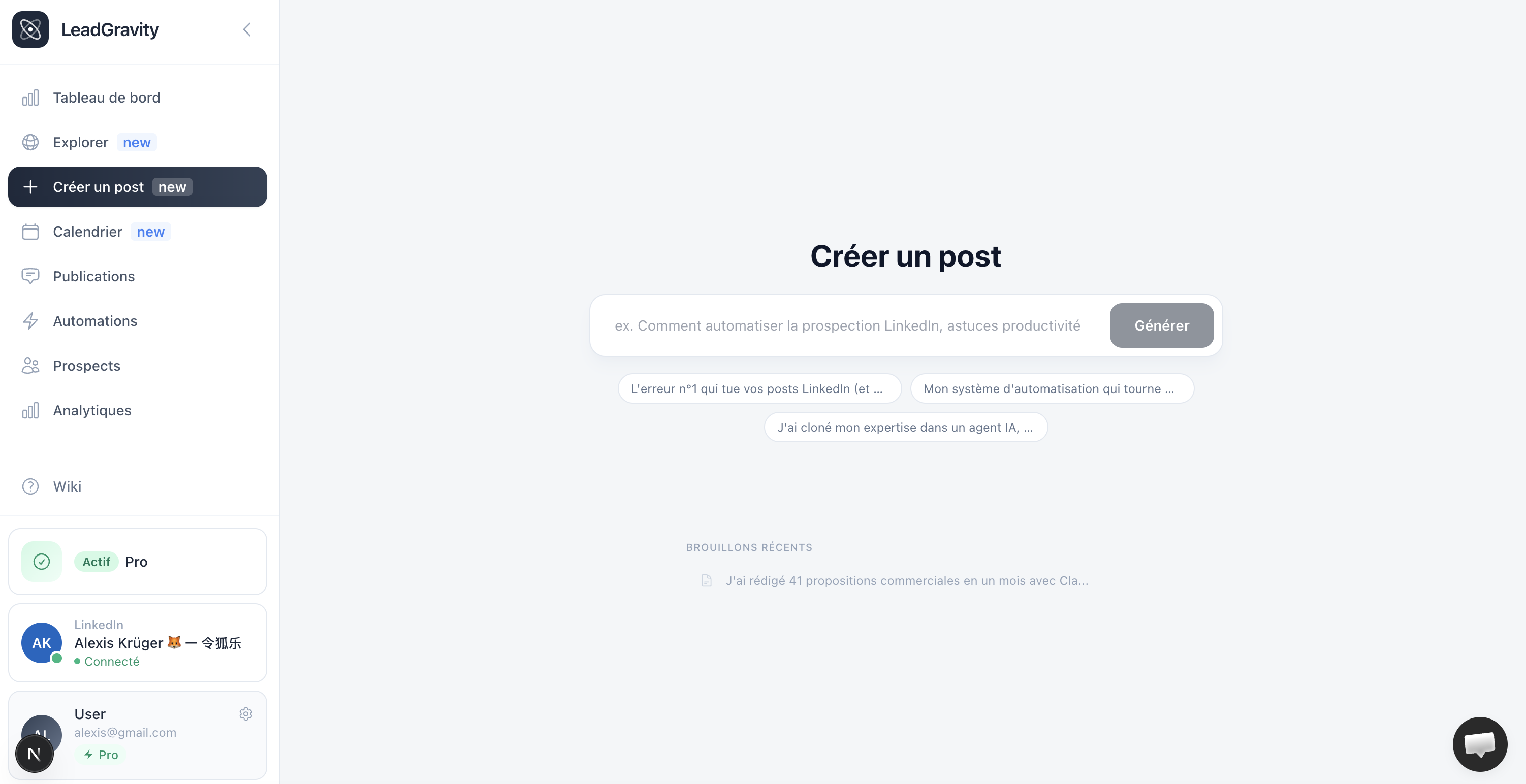
Step 2: Pick a hook
AI generates 5 different hooks with a virality score for each. Click the one you like best. You can also edit the hook text directly.
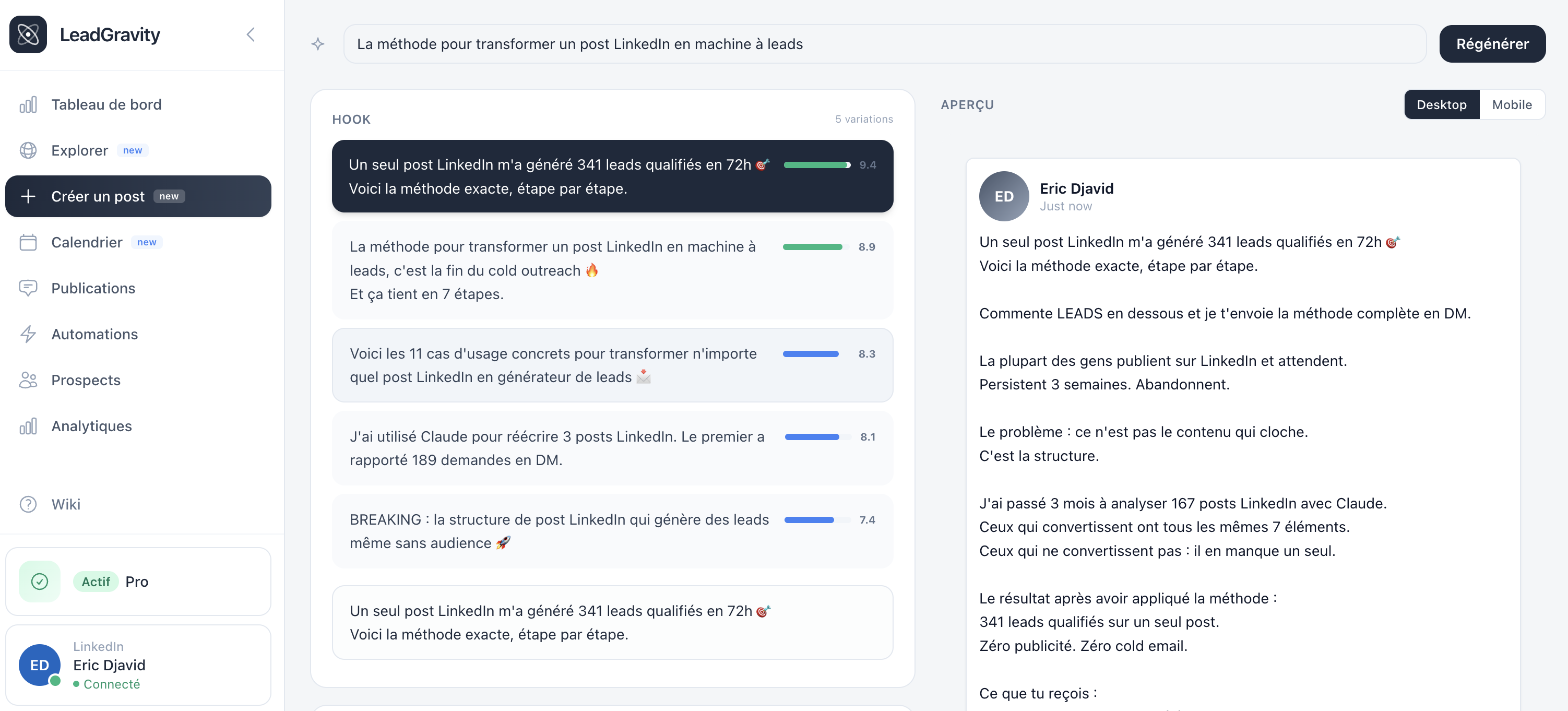
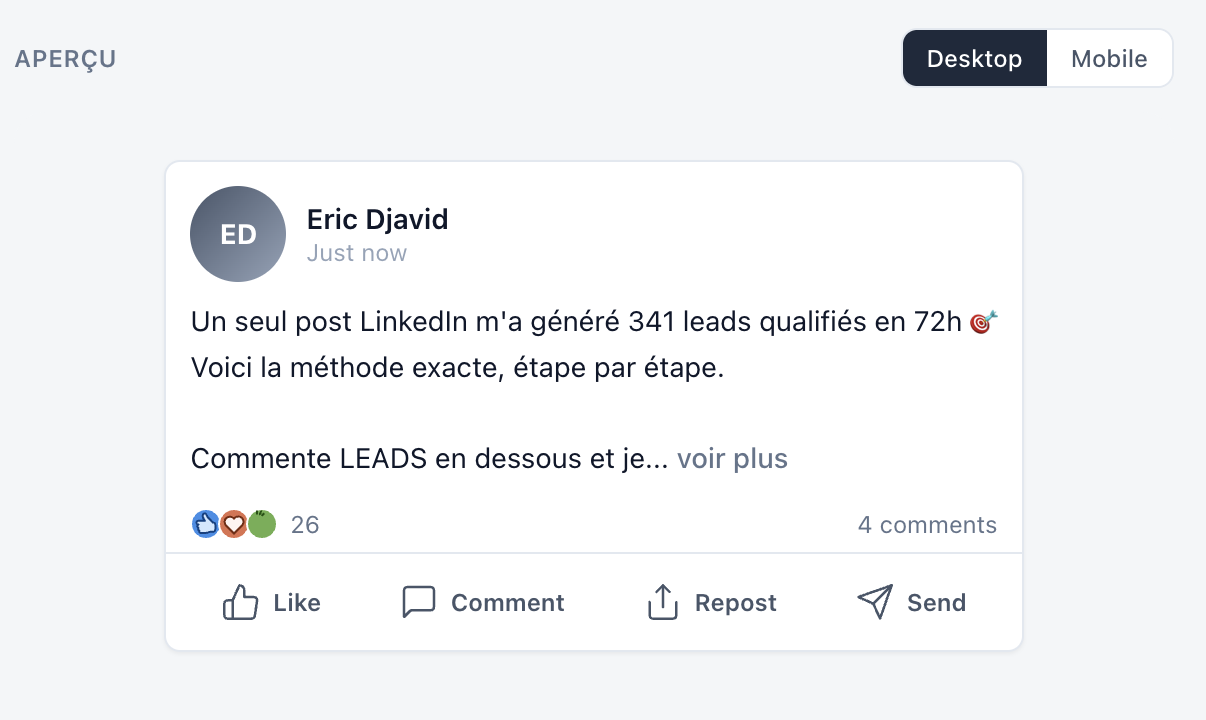
Step 3: Edit and preview
The full post appears in an editor on the left with a real-time LinkedIn preview on the right (desktop and mobile).
- Hook: editable in the first field
- Body: editable in the second field
- Image: add an image (JPG, PNG, WebP, GIF). AI recommends the best image type.
- Character count: aim for under 1,300 characters for optimal engagement
Link an automation (optional)
Before scheduling, you can create an automation that will be activated automatically when the post is published. Click the "+" button in the "Link automation" section.
You'll be redirected to the automation creation page with AI-prefilled fields (keywords, DM templates, reply templates). The automation will be in "ready" status until the post is published, then automatically switches to "active".
Automation statuses
- Draft: not yet configured
- Ready: configured, waiting for the linked post to be published
- Active: post is published, automation is running
- Paused: manually paused
Save or schedule
Two options:
- Save draft: save the post, come back later
- Schedule: pick a date and time, the post will be automatically published on LinkedIn
Plan limits
- Free: 3 generations/month, no scheduling
- Trial: 5 generations/month, 5 schedulable posts
- Starter: 30 generations/month, 10 schedulable posts
- Pro: 90 generations/month, 30 schedulable posts
- Pro Max: unlimited